


To upload or not to upload section
Album created by
ClassyEra ·
Updated
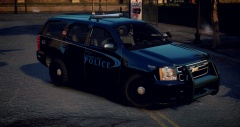
Alright guys, so I pondered on this for a while and I decided to create a gallery and post pictures of skins that I've made or will make that I don't think are good enough to make on my "Upload Immediately List." Skins in this sections will be uploaded or taken into consideration solely based on responses on what you guys (the community) thinks about them! BUT don't worry these are just what you can call extra/excess skin ideas made and finished but never uploaded. I will still create the very best and great quality skins for you guy and upload them first as always! THANKS for reading and taking your time!
4 images


Recently Browsing 0
- No registered users viewing this page.
0 Album Comments
There are no comments to display.
Join the conversation
You can post now and register later. If you have an account, sign in now to post with your account.