


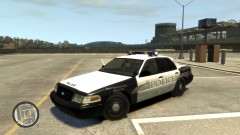
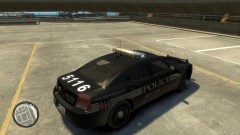
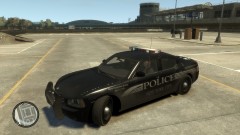
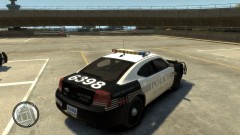
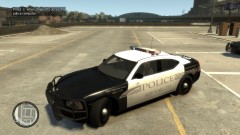
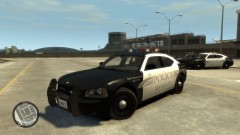
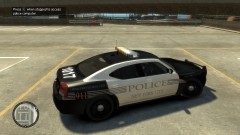
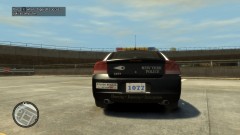
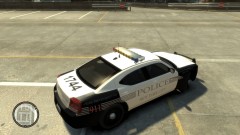
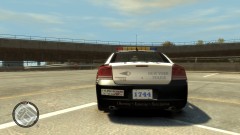
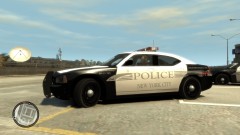
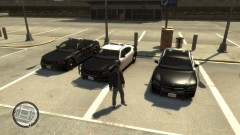
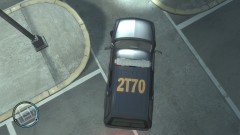
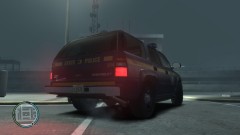
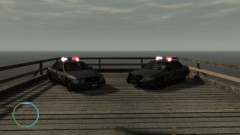
Fictitious NYPD skins
Album created by
HookerHeels ·
Updated
My own custom B&W NYPD skins, Mostly edited Liberty City Emergency Svc's Dearborn police(http://www.lcpdfr.com/files/file/2139-dearborn-michigan-police-department-skin/)
Still need to be tweaked, and not all of the vehicles are done. Also have two NYSP skins that fit in the Noose spot(CVPI NYSP textures thanks to Ridgerunner) I did however crop the CVPI skin to fit on the 2006 Tahoe.
Still need to be tweaked, and not all of the vehicles are done. Also have two NYSP skins that fit in the Noose spot(CVPI NYSP textures thanks to Ridgerunner) I did however crop the CVPI skin to fit on the 2006 Tahoe.
41 images
-
By HookerHeels
-
By HookerHeels
-
By HookerHeels
-
By HookerHeels
-
By HookerHeels
-
By HookerHeels
-
By HookerHeels
-
By HookerHeels
-
By HookerHeels
-
By HookerHeels
-
By HookerHeels
-
By HookerHeels
-
By HookerHeels
-
By HookerHeels
-
By HookerHeels
-
By HookerHeels
-
By HookerHeels
-
By HookerHeels
-
By HookerHeels
-
By HookerHeels
-
By HookerHeels
-
By HookerHeels
-
By HookerHeels
-
By HookerHeels
-
By HookerHeels
-
By HookerHeels
-
By HookerHeels
-
By HookerHeels
-
By HookerHeels
-
By HookerHeels
-
By HookerHeels
-
By HookerHeels
-
By HookerHeels
-
By HookerHeels
-
By HookerHeels
-
By HookerHeels
-
By HookerHeels
-
By HookerHeels
-
By HookerHeels
-
By HookerHeels
-
By HookerHeels


Recently Browsing 0
- No registered users viewing this page.
0 Album Comments
There are no comments to display.
Join the conversation
You can post now and register later. If you have an account, sign in now to post with your account.