


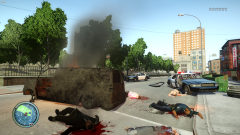
Riot in Liberty City
Album created by
BroCop ·
Updated
I forgot that I had ambient wars installed. I accidentaly hit F10, and decieded to document it for a bit.
Side note, Icehancer 2.1 is my ENB. Also, I did not take part in the killing, I set niko to "cop" in the relationship menu, meaning cops showed up but ignored me.
Side note, Icehancer 2.1 is my ENB. Also, I did not take part in the killing, I set niko to "cop" in the relationship menu, meaning cops showed up but ignored me.
20 images




Recently Browsing 0
- No registered users viewing this page.
0 Album Comments
There are no comments to display.
Join the conversation
You can post now and register later. If you have an account, sign in now to post with your account.