Skip to content
View in the app

A better way to browse. Learn more.

LCPDFR.com

A full-screen app on your home screen with push notifications, badges and more.

To install this app on iOS and iPadOS
  1. Tap the Share icon in Safari
  2. Scroll the menu and tap Add to Home Screen.
  3. Tap Add in the top-right corner.
To install this app on Android
  1. Tap the 3-dot menu (⋮) in the top-right corner of the browser.
  2. Tap Add to Home screen or Install app.
  3. Confirm by tapping Install.
LSCSO Pack

LSCSO Pack

Album created by BOYDEAD02 · Updated

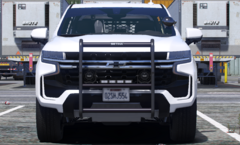
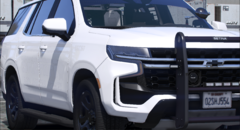
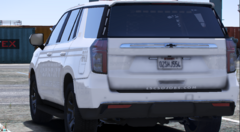
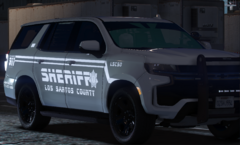
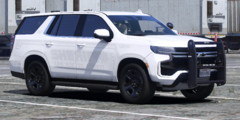
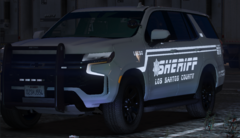
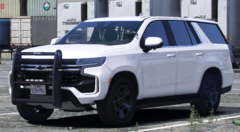
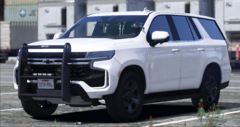
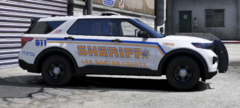
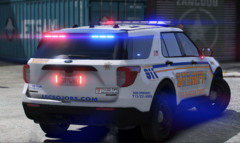
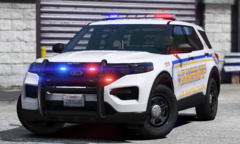
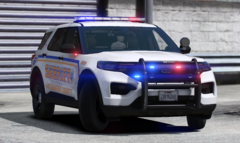
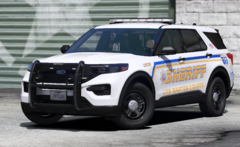
LSCSO Pack with Vehicle that already in the pack and some of Up-coming with in the Album!


Video!

https://streamable.com/ph4r5n


2020 FPIU

https://streamable.com/jvprpv

2022 Camaro

https://streamable.com/dbvofw

2022 Tahoe

https://streamable.com/vokavj


Update 7/30/25

Restarted with the 2021 Tahoe into the new version of the 2022 Tahoe, replaced some brackets, misc, pushbar with a newer pushbar.

The 2020 FPIU has been tuned up with new equipment, looking much better, and it is 95% ready for the final check.

New Camaro Ghost Traffic Enforcement has been completed with 97%. needed to think if I should add the Reflective livery to the Camaro to shine more for night Patrol or leave it plain.

Bryon Meyers

Members

when are you going to drop this? Will this pack also be ELS?

Dontae'

Members

I Can wait to use this cars in my Texas build! Any planned release date yet?

OneStarLaw

Members

Release but take ur time also good job

Release but take ur time also good job

Maddog96

Members

Can't wait for this release!

brayden3426

Members

These look awsome cant wait

Maddog96

Members

Can't wait for this to release! My birthday is next month and it would be amazing if it was released between now and then

Sheriff943

Members

When we getting to see this? Can’t wait! 

Maddog96

Members

Is this ever going to be released?

SovietPenguin11

Members

When is this going to be released!?

When is this going to be released!?

Join the conversation

You can post now and register later. If you have an account, sign in now to post with your account.

Guest
Add a comment...

Recently Browsing 0

  • No registered users viewing this page.

Account

Navigation

Search

Search

Configure browser push notifications

Chrome (Android)
  1. Tap the lock icon next to the address bar.
  2. Tap Permissions → Notifications.
  3. Adjust your preference.
Chrome (Desktop)
  1. Click the padlock icon in the address bar.
  2. Select Site settings.
  3. Find Notifications and adjust your preference.