


![Better MSA N6A Textures [EUP] Showcase](http://s3-gallery.int-cdn.lcpdfrusercontent.com/monthly_2024_10/large.20241001023150_1.jpg.83f006efc383f1408e08a0518857739b.jpg)
Better MSA N6A Textures [EUP] Showcase
Album created by
Joe C Wilson ·
Updated
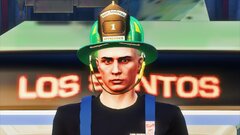
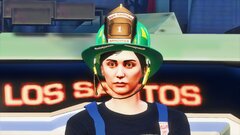
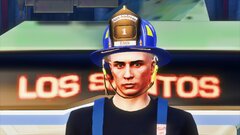
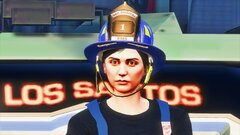
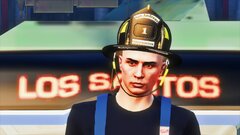
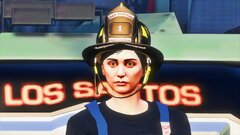
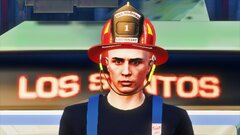
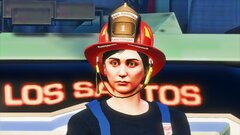
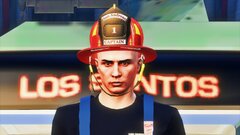
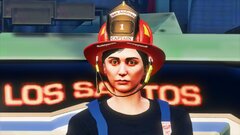
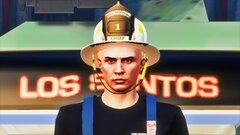
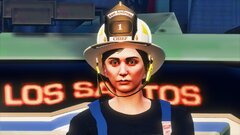
The EUP mini texture pack provides an assortment of texture options for the standard MSA N6A Helmet made by NOVO. It includes textures for CHIEF, CAPTAIN, LIEUTENANT, FIREFIGHTER, EMS, and APPRENTICE roles. Additionally, the pack offers an alternative style that allows the outline text color to match the helmet color. The textures are FiveM-ready and LSPDFR compatible. They are loosely based on the helmets used by my local fire department.
12 images
-
By Joe C Wilson
-
By Joe C Wilson
-
By Joe C Wilson
-
By Joe C Wilson
-
By Joe C Wilson
-
By Joe C Wilson
-
By Joe C Wilson
-
By Joe C Wilson
-
By Joe C Wilson
-
By Joe C Wilson
-
By Joe C Wilson
-
By Joe C Wilson
Recently Browsing 0
- No registered users viewing this page.
0 Album Comments
There are no comments to display.
Join the conversation
You can post now and register later. If you have an account, sign in now to post with your account.