


Update
Album created by
PublicSafetyDevelopment ·
Updated
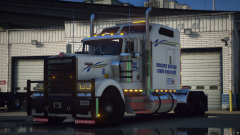
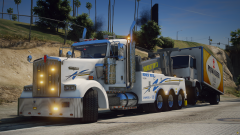
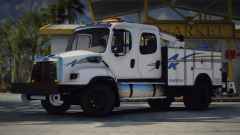
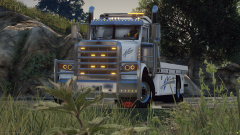
Hey, it's been a hot minute since our last update on here, we're sorry for that we've been busy within the discord mostly. Just to update you all we finally reached 2000 members on there and next week is our one-year anniversary! but enough of the boring stuff here is a Midwest Trucking livery pack we've been working...
9 images
.png.29d40eaf46bc3092d889407836110017.png)
.png.e33521ea139e874c52d0f0a4087ed4d9.png)
.png.6d8eefa7a6785b4fd93c7bdcb4c23161.png)
.png.045c6f296cd209c33d36b3f54288960f.png)
.png.f2f94be327c5bd598d1e27344084d243.png)
Recently Browsing 0
- No registered users viewing this page.
1 Album Comment
Join the conversation
You can post now and register later. If you have an account, sign in now to post with your account.