Skip to content
View in the app

A better way to browse. Learn more.

LCPDFR.com

A full-screen app on your home screen with push notifications, badges and more.

To install this app on iOS and iPadOS
  1. Tap the Share icon in Safari
  2. Scroll the menu and tap Add to Home Screen.
  3. Tap Add in the top-right corner.
To install this app on Android
  1. Tap the 3-dot menu (⋮) in the top-right corner of the browser.
  2. Tap Add to Home screen or Install app.
  3. Confirm by tapping Install.
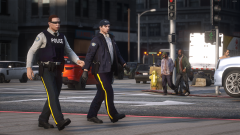
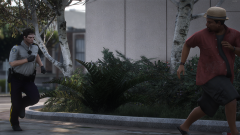
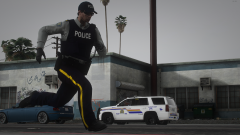
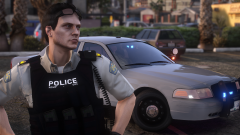
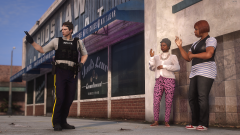
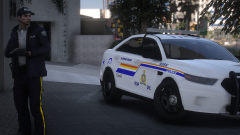
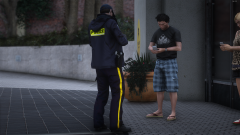
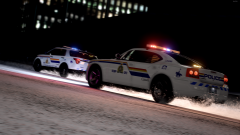
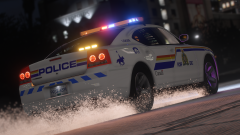
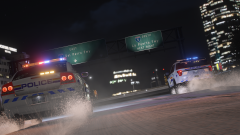
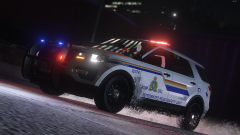
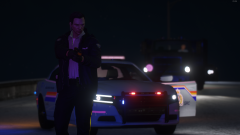
RCMP - GRC

RCMP - GRC

Album created by Skittishfiend · Updated

AnthIsOffline

Members

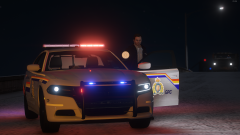
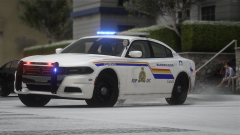
That eup and vehicles look awesome, is there a way to get it? or is it for a community only?

Skittishfiend

Members

On 3/21/2022 at 6:44 AM, AnthIsOffline said:

That eup and vehicles look awesome, is there a way to get it? or is it for a community only?

I did the EUP, the vehicles are from Walters' RCMP DLS pack excluding the 2018 charger and tahoe which were bought.

AnthIsOffline

Members

1 hour ago, Trooper Mobi said:

I did the EUP, the vehicles are from Walters' RCMP DLS pack excluding the 2018 charger and tahoe which were bought.

Are you selling the eup and vehicles textures cause definitely would buy since a good rcmp eup and the vehicles are kinda hard to find.

AnthIsOffline

Members

7 hours ago, AnthIsOffline said:

Are you selling the eup and vehicles textures cause definitely would buy since a good rcmp eup and the vehicles are kinda hard to find.

Also just realized that the vehicles are all walters but if you are selling the eup please let me know.
thanks

Join the conversation

You can post now and register later. If you have an account, sign in now to post with your account.

Guest
Add a comment...

Recently Browsing 0

  • No registered users viewing this page.

Account

Navigation

Search

Search

Configure browser push notifications

Chrome (Android)
  1. Tap the lock icon next to the address bar.
  2. Tap Permissions → Notifications.
  3. Adjust your preference.
Chrome (Desktop)
  1. Click the padlock icon in the address bar.
  2. Select Site settings.
  3. Find Notifications and adjust your preference.