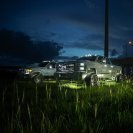
May 12, 201411 yr Dear Community, The other day, I decided that I wanted ENB out because it was to source demanding. I started deleting enb files but then when I loaded the game, I took a few steps out of the apartment and my screen goes to black except for the radar. I couldn't reverse the process or reverse engineer the situation so I wiped everything clean and re-installed. So I started adding things little by little. First custom vehicles.img and els 8. Then peds. So far so good. Scripts. great. Google Radar. Great. Spotlight and images.txt and remaining scripts.... shit hits the fan. I pull them out and go back. Problem still persists. The only way to fix it and start over is to delete the pc and scripts folder and bring in a clean (vanilla) pc folder and start over. I really could use ideas on this. Thanks everyone in advance. Officer Van (See attached picture) Edited May 12, 201411 yr by Officer Van





Only reply here to offer help or assistance to Officer Van. Off-topic or "me too" replies will be removed.
Need support yourself? Make a new topic instead.
Join the conversation
You can post now and register later. If you have an account, sign in now to post with your account.