Skip to content
View in the app

A better way to browse. Learn more.

LCPDFR.com

A full-screen app on your home screen with push notifications, badges and more.

To install this app on iOS and iPadOS
  1. Tap the Share icon in Safari
  2. Scroll the menu and tap Add to Home Screen.
  3. Tap Add in the top-right corner.
To install this app on Android
  1. Tap the 3-dot menu (⋮) in the top-right corner of the browser.
  2. Tap Add to Home screen or Install app.
  3. Confirm by tapping Install.
Due to overzealous filtering on Microsoft’s side, some emails to Outlook and Hotmail addresses may not be delivered. If you’re affected, please use a different email address or try again later.

CR7 Modding Media

This topic has 20 posts, roughly 1 minute of reading. Short on time? View a summary of the most helpful posts in about 1 minute.
Featured Replies

  • 3 weeks later...
  • 2 weeks later...
  • 1 month later...
  • The title was changed to CR7 Modding Media
  • 2 months later...
  • Author

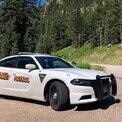
Hello LCPDFR community i’m planning to create South Dakota and North Dakota Highway Patrol vehicles specifically chargers for both FiveM and SinglePlayer i have the reference materials for the vehicle's interior lighting but unfortunately i do not have enough funds to purchase the necessary paid vehicle bases and lightbars i humbly request anyone willing to help to contribute towards purchasing these items thank you 🙏🏻

Join the conversation

You can post now and register later. If you have an account, sign in now to post with your account.

Guest
Reply to this topic...

Recently Browsing 0

  • No registered users viewing this page.

Account

Navigation

Search

Search

Configure browser push notifications

Chrome (Android)
  1. Tap the lock icon next to the address bar.
  2. Tap Permissions → Notifications.
  3. Adjust your preference.
Chrome (Desktop)
  1. Click the padlock icon in the address bar.
  2. Select Site settings.
  3. Find Notifications and adjust your preference.