Skip to content
View in the app

A better way to browse. Learn more.

LCPDFR.com

A full-screen app on your home screen with push notifications, badges and more.

To install this app on iOS and iPadOS
  1. Tap the Share icon in Safari
  2. Scroll the menu and tap Add to Home Screen.
  3. Tap Add in the top-right corner.
To install this app on Android
  1. Tap the 3-dot menu (⋮) in the top-right corner of the browser.
  2. Tap Add to Home screen or Install app.
  3. Confirm by tapping Install.
The latest updated version of RAGE Plugin Hook, required to play LSPDFR, can be found inside the LSPDFR download. It is not currently available on the RAGE Plugin Hook website.

Police car replacement models have black textures
Featured Replies

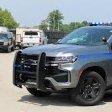
Hello fellow officers! I am attempting to replace the new GTA5 online vehicles with custom ones. At the moment I am doing polcaracara replaced with a sheriff f-150. I installed the models just fine and I also read Cyan's post about removing the textures from those models in the agency.xml. The issue arises when I spawn the vehicle in-game. Attached are 2 images, of how the texture is supposed to look like when LSPDFR spawns them in through ambient events and spawns and the second is how it looks like when I spawn them in through the trainer. You can see that when LSPDFR spawns them in its good and the livery displays more or less as its supposed to however when I spawn them in the entire texture is black and I cannot remove that to see the texture underneath. I already went to the carvariations.meta for the Polcaracara and made all the color values 0 but all that did was give it a very dark unremovable tint so I am asking you guys for help. Any and all would be dearly appreciated because I have been working at this all week now and I just cannot get it to work 😞

P.S. The LSPDFR f150 is also missing the blue stripe (as you can see on the durango in the last picture) so it is not 100% eitherCould contain: wheel, vehicle, land vehicle, tire, text, outdoor, screenshot, transport, auto part, ground, military vehicle, car

  • 4 weeks later...
  • Author
On 10/2/2025 at 6:23 AM, Swozzie said:

same


Hey! I think I may have an idea on how to solve it. I don't need a fix myself anymore since I just used an addon pack. But go onto your vehicles.meta and navigate to the vehicle you are having issues with. Under <flags> add "FLAG_HAS_LIVERY". 

Again, i am not 100% sure will fix it since i haven't tested it but i saw it after the fact and thought it may have something to do with it. Hope it helps! 

This is a support topic.
Only reply here to offer help or assistance to Sergeant Rain. Off-topic or "me too" replies will be removed.

Need support yourself? Make a new topic instead.

Join the conversation

You can post now and register later. If you have an account, sign in now to post with your account.

Guest
Reply to this topic...

Recently Browsing 0

  • No registered users viewing this page.

Account

Navigation

Search

Search

Configure browser push notifications

Chrome (Android)
  1. Tap the lock icon next to the address bar.
  2. Tap Permissions → Notifications.
  3. Adjust your preference.
Chrome (Desktop)
  1. Click the padlock icon in the address bar.
  2. Select Site settings.
  3. Find Notifications and adjust your preference.