Skip to content
View in the app

A better way to browse. Learn more.

LCPDFR.com

A full-screen app on your home screen with push notifications, badges and more.

To install this app on iOS and iPadOS
  1. Tap the Share icon in Safari
  2. Scroll the menu and tap Add to Home Screen.
  3. Tap Add in the top-right corner.
To install this app on Android
  1. Tap the 3-dot menu (⋮) in the top-right corner of the browser.
  2. Tap Add to Home screen or Install app.
  3. Confirm by tapping Install.

Assigning extra cops voices
Featured Replies

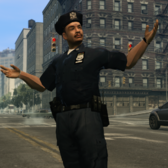
I ported over the cop voices from TLAD into the main GTAIV SPEECH folder, and then to test if they work I edited what audio group should the head be assigned to. I replaced the "M_Y_COP_BLACK" (the very first cop in line in peds.ide) with "E1_M_Y_COP_CHINESE". But when I spawned in as a police officer and ran the speech "ASK_ID", he just said nothing. Note that I pasted the new line over the old one, so there was no change in indentation. I even tried not paying to the indentation in peds.ide and still no voice, along with pasting the E1_COP lines from TLAD's peds.ide. The only voice it played was Niko's when I made it run the "ARRESTED" speech.


I am using Custo's Extra Cops and State Troopers mod, wherein the only change in the peds.ide file that I was told to replace was the STROOPER line. If the reason on why the cop is saying nothing is because of the pedvariations file, here it is and please tell me what I need to change to get the voices working:

M_Y_COP,		14
#slot		geometry	BULK	JOB	SUNNY	WET	MAT1	RES1A	RES1B	RES2A	RES2B		AUDIO ID
feet,		0,		0,	1,	0,	0,	0,	-1,	-1,	-1,	-1,		1
head,		2,		0,	1,	0,	0,	0,	-1,	-1,	-1,	-1,		10
head,		0,		0,	1,	0,	0,	0,	-1,	-1,	-1,	-1,		6
head,		1,		0,	1,	0,	0,	0,	-1,	-1,	-1,	-1,		6
uppr,		2,		0,	1,	1,	0,	0,	2,	1,	100,	1,		6
uppr,		4,		0,	1,	1,	0,	0,	2,	1,	100,	1,		1
uppr,		1,		0,	1,	1,	0,	0,	2,	1,	100,	1,		3
uppr,		0,		0,	1,	1,	0,	0,	2,	1,	100,	1,		1
uppr,		3,		0,	1,	0,	1,	0,	2,	0,	100,	0,		0
lowr,		0,		0,	1,	1,	0,	0,	-1,	-1,	-1,	-1,		1
lowr,		1,		0,	1,	0,	1,	0,	-1,	-1,	-1,	-1,		0
p_head,		0,		1,	1,	1,	0,	0,	-1,	-1,	-1,	-1,		0
p_head,		1,		1,	1,	0,	1,	0,	-1,	-1,	-1,	-1,		0
p_eyes,		0,		1,	1,	0,	0,	0,	-1,	-1,	-1,	-1,		0
end


This is a support topic.
Only reply here to offer help or assistance to Boomerbang31. Off-topic or "me too" replies will be removed.

Need support yourself? Make a new topic instead.

Join the conversation

You can post now and register later. If you have an account, sign in now to post with your account.

Guest
Reply to this topic...

Recently Browsing 0

  • No registered users viewing this page.

Account

Navigation

Search

Search

Configure browser push notifications

Chrome (Android)
  1. Tap the lock icon next to the address bar.
  2. Tap Permissions → Notifications.
  3. Adjust your preference.
Chrome (Desktop)
  1. Click the padlock icon in the address bar.
  2. Select Site settings.
  3. Find Notifications and adjust your preference.