Skip to content
View in the app

A better way to browse. Learn more.

LCPDFR.com

A full-screen app on your home screen with push notifications, badges and more.

To install this app on iOS and iPadOS
  1. Tap the Share icon in Safari
  2. Scroll the menu and tap Add to Home Screen.
  3. Tap Add in the top-right corner.
To install this app on Android
  1. Tap the 3-dot menu (⋮) in the top-right corner of the browser.
  2. Tap Add to Home screen or Install app.
  3. Confirm by tapping Install.

Some fun and creative script ideas

Featured Replies

Spoiler


Hi my name is Devin and I wanted to get into coding but quickly I realized I don't have the resources or the time to do so, so here's some ideas


Crazed golfer 


I got this idea from when you load into story mode as Michael and he is getting mad on the golf and then I thought what if for a script there can be a guy that gets mad at the game and starts attacking people with a gold club idk it seems fun 


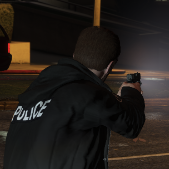
Suicide by cop 


I just got this idea off the top of my head it seems like a unlike idea that I haven't seen before 


Officer needs help on a basic traffic stop (but with a twist)


We have all seen traffic stop type callouts but I was thinking of one but with a twist so you get a call of an officer needing some basic backup for a  traffic stop but when you get on seen you see a dead cop and a group of heavily armed men with either ak-47's or something like that wanting to shootout I know that this one sounds stupid but they could be terrorist or something like that  


so that's it that would be cool to see if someone could do these things and if you do you don't even have to give me credit just let me know where I can download it


Hi my name is Devin that's it 

Join the conversation

You can post now and register later. If you have an account, sign in now to post with your account.

Guest
Reply to this topic...

Recently Browsing 0

  • No registered users viewing this page.

Account

Navigation

Search

Search

Configure browser push notifications

Chrome (Android)
  1. Tap the lock icon next to the address bar.
  2. Tap Permissions → Notifications.
  3. Adjust your preference.
Chrome (Desktop)
  1. Click the padlock icon in the address bar.
  2. Select Site settings.
  3. Find Notifications and adjust your preference.