


Kristovision
Members
-
Joined
-
Last visited
Everything posted by Kristovision
-
Hi, If you need help regarding an issue can you please post a separate forum thread. Hi I will look to do this shortly. Struggling a bit recently as I am now restricted to a laptop... I managed to fall down the stairs and fracture my knee.
-
Hi, Always happy to help. Anymore issues please give me a shout.
-
Ok, That sounds like something along the lines of corrupt game files. Try validating your game files and see if you can then launch GTA V vanilla. If GTA V launches fine, try then launching LSPDFR. If it still freezes please try disabling your antivirus.
-
Hi, When it boots can you ensure you have it forced to boot in Windowed mode. Try also disabling your antivirus and booting the game with it disabled. Can you please also post your RPH log if none of that works.
-
Hi, Look for a file called RagePluginHook Log this can be in your main directory or in a folder called Logs. Can you try disabling your antivirus and launching the game to see what happens.
-
Ok! Can you provide your RPH log. What antivirus are you using?
-
Hi, Do you have any other ideas?
-
Hi, Can you explain the specific issue that you are having?
-
Hi, Does your GTA V load up fine on it's own (Vanilla GTA V). What anti-virus do you use?
-
Hi, Is your scripthook up to date
-
Hi, Do you have DirectX installed? I have had problems in the past regarding this.
-
Hiya, I had it set at that previously and it was still crashing.
-
Hi, I am in a position where by the game boots up fine. There is no errors apparent. The game runs absolutely fine for a long period of time up until when I 'Go on Duty'. Once I 'Go on Duty' the game runs for a short while before RPH decides to crash. Attached is my RPH Log. Thanks in advance! RagePluginHook_08122019_205515.log
-
SOLVED.... I was clearly being stupid. I've spent too long looking at files today! I was missing scripthook which I downloaded and never installed -_-. Thanks for your help @matthew skead
-
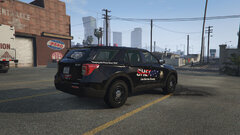 Very nice!
 -
Hi, I'd recommend that you try to re-install RPH. See if that resolves the issue.
-
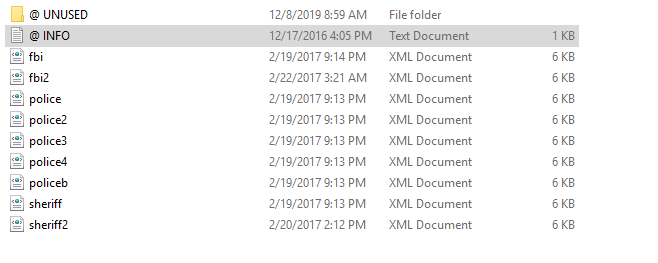
If you have installed it into a MODS folder. The path I have is as follows... Grand Theft Auto V\mods\update\x64\dlcpacks
-
Hi, That did nothing either. I have even downloaded a completely different ELS enabled vehicle model and it still is failing to work. Displaying some lights but nothing is actually working.
-
After restarting and following your above steps this still does not work.
-
Hi, Again the lights dont flash and no lights appear to work. Trying a restart now.
-
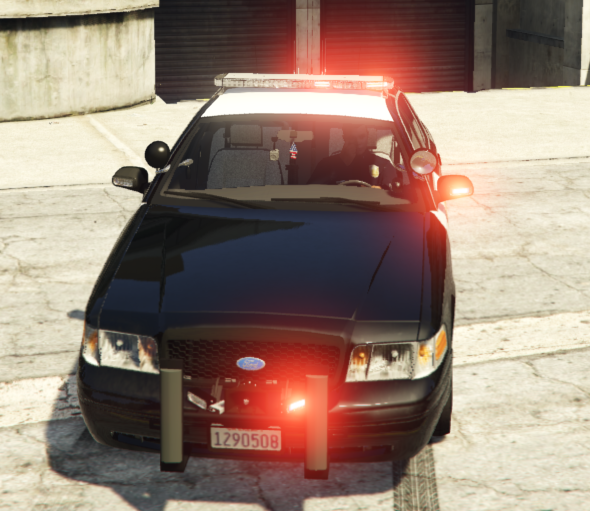
Yes Sir. Here is another vehicle...
-
Do you have any other plugins running besides LSPDFR.
-
Other vehicles appear to not have any red light and no vehicle lights in general.
-
Hmm I was having the same issue as you. Disabling avast seemed to work for me. Is GTA V running fine on it's own?
-
No that's on by default when the vehicle starts. I can't get any form of lights from the vehicle. Now I can only activate a siren.


