
GTA 5 Jedi Master
Members
-
Joined
-
Last visited
Everything posted by GTA 5 Jedi Master
-
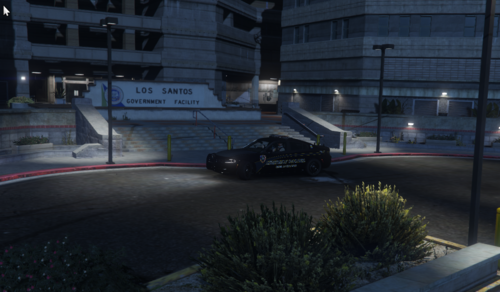 Here's a couple. <Station> <Name>Vespucci Beach Station</Name> <Agency>vbpd_sta</Agency> <ScriptName>vespuccista</ScriptName> <Position>-1311.9, -1523.78, 4.42</Position> <Heading>345.77</Heading> <DropOffPosition>-1286.94, -1507.18, 299.87</DropOffPosition> </Station> <Station> <Name>Vespucci Beach Police Department</Name> <Agency>vbpd</Agency> <ScriptName>vespucciPol</ScriptName> <Position>-1319.4854f, -1529.4604f, 4.4169f</Position> <Heading>0</Heading> </Station> stations.xml
- 10 comments
- 1 review
-
Here is a link to the latest Menyoo update. Using this one everything works fine now. Everything Mission Row is fixed for me. https://github.com/MAFINS/MenyooSP/releases
-
How'd you fix it, bro? Share the wealth please!
-
I also have this issue. My game works flawlessly except for the Mission Row PD. Looking back through google posts and posts here, I read several people stating that it was a LSPDFR issue that was going to be addressed many updates ago. That was info from a post from one of site moderators/developers. I wish I knew the answer. Posts stated this helped with crashing though.
-
I hear you. I've tried everything I can think of. I'm wondering if it's a conflict with another LSPDFR plug-in possibly. I'll figure it out. Keep up the excellent work, brother! Thank you for the response.
-
Im assuming this error is related to the new ScriptHook release? This is the last MOD I needed to complete the "Jurisdictions+" MOD. Im crushed...... [5/7/2022 12:28:05 AM.277] Error while loading plugin C:\Program Files (x86)\Steam\steamapps\common\Grand Theft Auto V\Plugins\BetterEMS.dll. Plugin is skipped during reload. Exception: System.ArgumentException: Plugin Better EMS Response in assembly BetterEMS.dll (BetterEMS, Version=4.1.7375.38121, Culture=neutral, PublicKeyToken=null) does not have a suitable entry point.
-
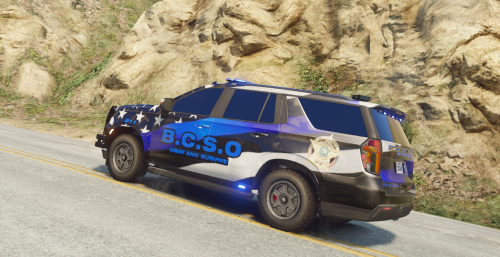 Bro, you spelled OBEY wrong. Looks good though!
 -
Fought this for literally days. If you have a Nvidia Graphics card try disabling "Nvidia game overlay" in the settings of the GeForce Experience app. Thats all it was. Good Luck
-
-
-
-
-
-
-
-
-
-
-
-
-
-
-
-
-
EXCELLENT news, brother! I'm glad someone got some use out of that long ass post. I guess that proves I'm only half-ass crazy....at least it worked for someone other than me.