


majorpaine2015
Members
-
Joined
-
Last visited
Everything posted by majorpaine2015
-
From the album: Majorpaine2015
-
From the album: Majorpaine2015
-
From the album: Majorpaine2015
-
From the album: Majorpaine2015
-
The only way to unlock a locked model is by ripping it which is highly frowned upon in the modding community. You'll have to try to contact the author of the model for permission of an unlocked model.
-
If someone will get me more details and pics of the lighbar i may be inclined to make it.
-
From the album: Majorpaine2015
-
From the album: Majorpaine2015
-
From the album: Majorpaine2015
-
From the album: Majorpaine2015
-
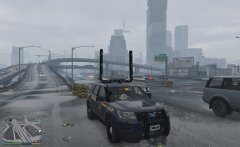
From the album: Majorpaine2015
-
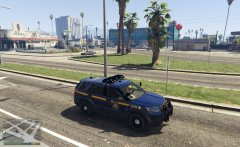
From the album: Majorpaine2015
-
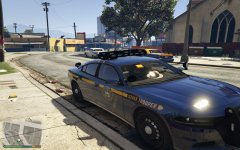
From the album: Majorpaine2015
-
Using a paint program either find a texture with a bigger layout size or make a duplicate of the belt texture and scale it down and then copy the badge and cuffs to the layout. Once you are satisfied with it then you will save it and then using 3ds max or zmodeler assign the new texture to component and then uv map the belt cuffs and badge to it.
-
You have to combine the 2 textures together into1 texture which will cause you to have to uv map the textures to the belt.
-
I've planned on releasing the Freightliner Inspiration with accurate interior but having the hardest time with polys.
-
It's called trial and error, you have to keep moving the dummy and testing in game until you get the best desired position you can get. seating position has nothing to do with meta files.
-
exporting export it as this example. name.ydr
-
Export it as ydr yft is for vehicles, ydd is for peds, ydr is for weapons and props.
-
I remember i had that same issue and it took me a while but i figured it out.
-
Uncompound extra_1 and delete the dummy. make a new dummy and scale it down 50% and name it extra_1. Next go to your lights and reset the local axes to object. Now click on copy olocal axis from one node to another and click on your light and drag it to the dummy,then that will reset the the to the correct axis. now delete your LODs and copy from the one you just did then compound them and that should fix it.
-
Check thru your whole hierarchy and make sure you don't have anything else named extra_1 in there. That means open everything one by one and check.
-
I need a bigger pic of your hierarchy
-
Can you post a pic of your hierarchy els compounds
-
Can you post the .xml file for the vehicle?

