majorpaine2015
Members
-
Joined
-
Last visited
Everything posted by majorpaine2015
-
-
-
-
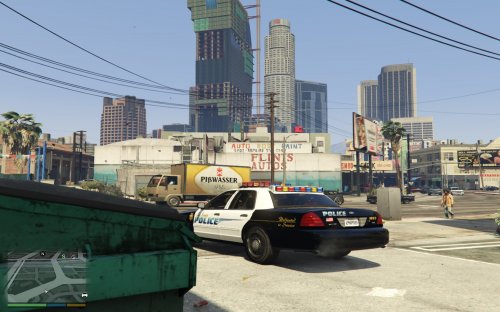 It's the whelen edge on this site. I just modified it to get the look i wanted.
 -
-
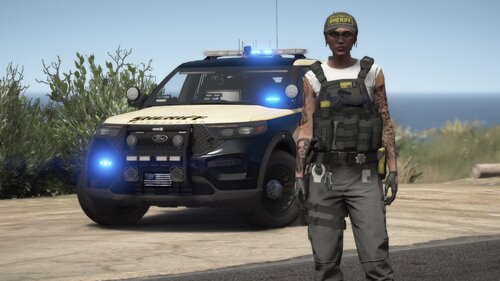 Dude the female ped is sick so i wouldn't mind doing the male version for this, of course with major credits to you.
- 38 comments
- 2 reviews
-
 It's a simple instructions that tells you exactly where to place the files. Anyone with a brain knows that. Forgive me if yours is missing.
- 27 comments
- 22 reviews
-
-
Hello all, I'm trying to release a duty belt pack eup which is all of the duty belts used from my peds but i can't test them because lspdfr and eup will not work together. They just crashes my game at loading. I can only use either lspdfr by itself or eup by itself with no crash. If anyone knows of a fix for it please let me know. Here's my ragehook crash report.
-
You can manually put it there by extracting the EUP oiv and drag the folder to it's destination.
-
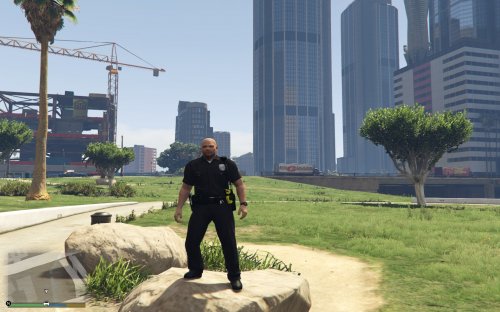 I planned on releasing the belts from le redone, le redated, revamped 1 and 2 and san andreas state police trooper as eup belts if i can get lspdfr and the eup mod to run together. EUP crashes lspdfr and then my game. I can only use one or the other but not both. if anyone knows of a solution please message me so i can test and release the belt pack.
- 16 comments
- 5 reviews
-
The location is update.rpf/common/data/levels/gta5. The other ones are basicly for the added on vehicles that come with the dlc updates and such. Most if not all the emergency vehicles use the one in the update.rpf file.
-
You would need to modify the one located in update.rpf
-
Interesting
-
Place them in the corresponding door hierarchies. ie your driver side light in the door_lf
-
If they're not showing then you're something. See if you have the latest scripthookv.
-
police goes in x64e.rpf, police2 in patchday3ng, police3 in patchday4ng, police4 in x64e.rpf, policeb in patchday1ng, polmav in patchday3ng, fbi in x64e.rpf, fbi2 in patchday2ng, riot in patchday3ng, sheriff and sheriff2 in patchday3ng. All the rest that i didn't name are the ones i don't use but they all go in x64e.rpf
-
And if that dosen't work i will gladly tell you where all vehicles go as i don't use patchdayng15 or 20 for my vehicles.
-
You can find it in the traffic policer ini configuration file.
-
I think it's Alt+M
-
That's not a game issue. That's part of one of albo1125's mods you have installed.
-
If you wanna use an ai ped in 0.4 then just use a trainer to spawn the ped you want then go on duty and instead of going to locker just go to garage choose your vehicle and that's it.
-
Not to hijack your post good sir but i think it would be nice if when arresting a suspect at gunpoint you have the option of making the suspect get on they're knees or lie on the ground and if i'm not mistaken the very first LSPDFR release the peds got on they're knees granted the animation was fast. But it would be nice Sam or a script modder. Just food for thought.
-
It's about time. I've been hoping they bring Halo to Pc but the whole collection....simply amazing.
-
Did you ever figure out how to get your vest to move with body?