majorpaine2015
Members
-
Joined
-
Last visited
Everything posted by majorpaine2015
-
Move the Val_lightemissive in front of the val_vehglass. That should fix it. Always make sure your lightsemissive is above any vehglass, whether in material browser or hierarchy.
-
Can i see your hierarchy and your materials browser.
-
if that's how it looks in openiv and what you're describing mens that the lightbar isn't els enabled. It uses coronas meaning it's non els.
-
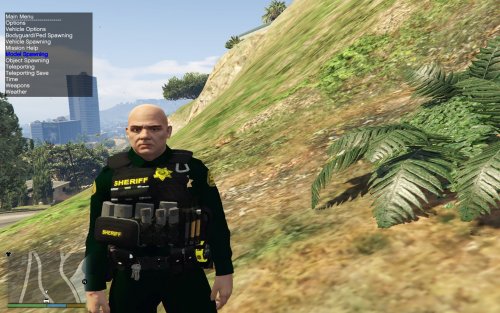 Because the default one said lshp, but you can always change it to your preferance. It's not mirrowed, it's flipped.
- 43 comments
- 5 reviews
-
There's no way to lower the brightness of the white lights without effecting all of the lighting in game.
-
-
-
-
If it has to be unlocked then no, but honestly i don't know because i don't use EUP.
- 43 comments
- 5 reviews
-
Hello all, This is my ped update/redate. These peds have custom made badges leg hosters and vest from Battlefield Hardline, fixed bugs and such. Please read the installation guide carefully which is explainatory before you ask where does this ped go. (DUHHH) You may edit or modify the textures to fit your needs. You may use in roleplay, clans,etc. You may take pics and vids and only link to LCPDFR.com. You may not steal, rip, modify, or sell this mod. You may not edit and claim as your own. You may not post to any other site without expressed permission.
- 43 comments
- 5 reviews
-
-

- 6
-
-
You have to import the textures into textures browser, and make sure you have the vehshare textures imported in also. Next merge your saved zmod2 file into zmod3. When you do that the object/s will be grey. All you have to do is go to the globe on your far right/gtav/vehicle generic/and pic a setting. It will then automatically load your texture along with any settings. When you export and you get that shader error, add shader material to the first default material at the top and then delete the other default material that imported when you merged your zmod2 file.
-
Import the hearse from the halloween dlc and you'll notice the hand in the back. You'll see the words bobble hand and bobble base in the hierarchy. Those are what you use.
-
Do you mean gta v?
-
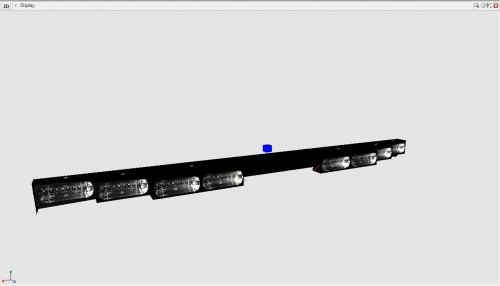 Just add the textures in materials editor. Or add textures first and then import into zmodeler.
 -
It's one of my peds from LE Revamped that someone reskinned.
-
Hello all, I would like to get some input before i release these mods to know what you guys and gals think. Watch video and comment.
-
You can get a free license for a week and then you have to purchase one. https://www.zmodeler3.com/ and here's a couple vids on making a police car/adding lights
-
Use zmodeler 3
-
My body bag mod has been released.Reset the the axis to world and then set it to object.If the vehicle wasn't built with it then you can't. check the car's readme and pic to see if it comes with alprs.And if the author didn't put any on it then, there's nothing you can do about it., or you can make your own vehicle and put them on.If there are cameras on the trunk of the car they are merely for appearance. They have no real purpose when used with the script they give off a realistic afect ot using alpr+
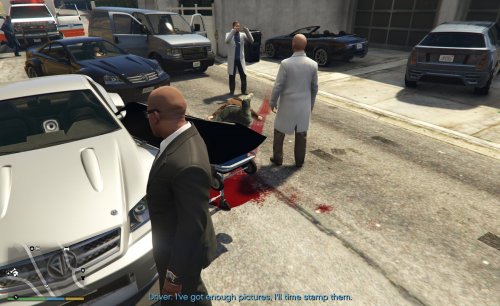 Not everyone wants body bags with blood on it and some do. but in reality you don't see blood on them.
- 27 comments
- 22 reviews
-
-
- 3
-