


majorpaine2015
Members
-
Joined
-
Last visited
Everything posted by majorpaine2015
-
If it weren't reading your ytd then the model wold use other/distorted textures, I'm gonna use a radar i made and see if i have the same issue.
-
Did you export one as w_pi_singleshot and one as w_pi_singleshot_hi?
-
Can you show me your hierarchy and materials browser
-
-
-
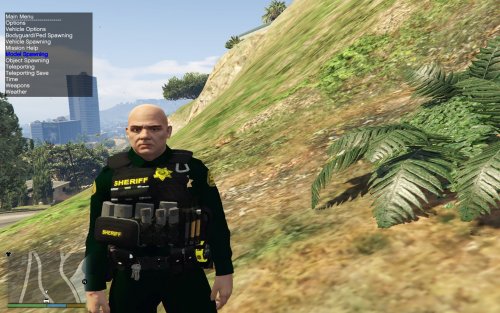 Ok i see what you're saying, the gang ped textures aren't working. Try deletingthe ytd file from openiv and then drag and drop the gang unit ytd. If that dosen't work then you'll have to delete the patchday9ng.rpf and then copy another one to your mods folder. Then drag and drop all my files except the ytd, and then drag and drop the gang unit ytd. One of those options should fix it for you. It's a bug openiv has.
- 43 comments
- 5 reviews
-
-
-
-
Delete the x64e.rpf file and copy another one into your mods folder and drag and drop ped files. That should fix it
- 43 comments
- 5 reviews
-
-
-
-
Did you edit any textures? It looks like you didn't install the correct ytd file.
- 43 comments
- 5 reviews
-
The reason it's not compatible is because it has 3 different holsters. The single and double leg holster, and the regular duty belt holster.
- 43 comments
- 5 reviews
-
-
-
Look at this vid, it'll tell you how to compound your lights. Start at 12:26You're gonna have to attach the lights together that have the same name like all extra1, extra2 and so on. If there are extras in a hierarchy with the same name it will cause one of those extras to steady burn. or turn on and off whenever the vehicle is started.Why haven't you compounded the lights?Attach the mounts to the lightbar base and the lights/extras need to be compounded. They are working without dummies which may be the cause for the noe els flashing.I'm afraid i don't see what you're talking about with the mounts. As far as the light pattern goes you have to pull up the els console and scroll through the lighting patterns until you find what you like and then copy down pattern numbers stage 1,2, and 3. Then go into your xml file input those numbers in so whenever you activate your lighting it'll use your selected patterns.The file comes with the els installation. just copy the POLICE.xml file and name it to whatever slot you put your vehicle in and then just edit the file to your preference.I can make a quick vid showing you how to do it.
