majorpaine2015
Members
-
Joined
-
Last visited
Everything posted by majorpaine2015
-
If you haven't found the answer yet please post a pic of your whole materials browser.
-
Easy fix, look at the first material in your browser that says default material. Towards your left under new materials drag shader material on to it and that's it. Export your files.
-
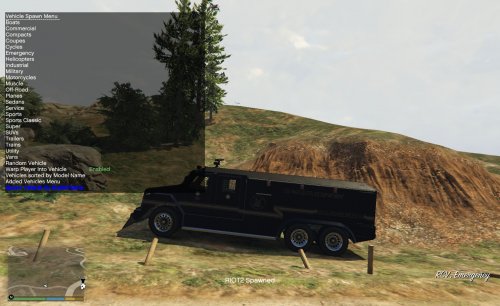 I didn't know where to put this vehicle but anyways here's an unlocked riot2 mapped vehicle that was requested.
- 3 comments
- 1 review
-
I finished the riot. What do you want me to do with it?
-
Look at the zmodeler 3 ped video again. It shows you the binding process close to the end of it.
-
-
Your file size is 0kb, meaning you got an error during export so your ped wasn't exported. You must export using the same exact name as the model you're plcing. Also you have to bind the meshes/components to the bones.
-
I can give it a go, just point me in the right direction of the vehicle.
-
It's pretty much the same except for compounding lods
-
Try this, import a default police or sheriff model. Detach the tag from the vehicle and delete it. Now open your materials editor and delete all the materials except for the plate material. Delete the tag you have and place the new tag to your vehicle. That should fix it.
-
Can you show me an in game pic?
-
No, you have the correct setup. It should work. So is it not shwing at all or from a distance?
-
No, but you can if you choose to.
-
Just a guess but the textures are in your vehshare ytd, that may be why.
-
No, don't work like that i'm afraid.
-
Run It as administrator
-
Ok, as long as your plate dosen't say plate05 and so on and also give your plate another material like vehicle_interior2. That should fix your plate texture popping in and out.
-
It uses the bobblehead animation, here's a vid on how to do it.
-
Make sure you used the vehshare textures which contains the textures and configurations for the plate. You have to uv map (vehicle_generic_plate_font) onto the plate to get it to show writing.
-
Sorry for the late reply. If you want all of your law enforcement vehicles like police, sheriff,etc. to use the tag place all plate files to x64e.rpf/levels/gta5/vehicles.rpf/vehshare.ytd. If you want only that specific vehicle to use it then rename all of your plate texture names to something else and make the changes in zmod so it will use the new named plate. If you don't rename them then the game will continue to use the default plate with the same name. btw nice plate.
-
Yeah only if someone makes it or if someone has the gta iv version and get permission from the author to convert and release it.
-
Sorry I had to go to work after I replied to you yesterday. Where did you place the textures?
-
I've done it plenty of times. Can you show me the custom plate you want to replace.
-
All you have to do is give the light a lightsemissive texture and material, and then name it as something light steady burn so you know what it is.
-
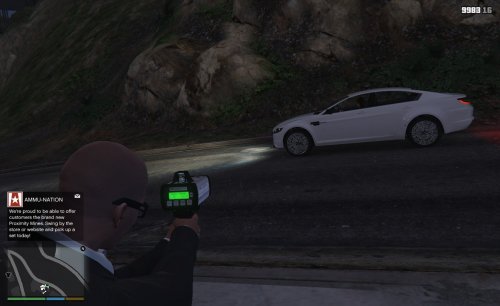 Because they were made by different modders. I already started making it when the 4 got released.
- 13 comments
- 1 review