LIPDProductionsInc
Members
-
Joined
-
Last visited
Everything posted by LIPDProductionsInc
-
 General question. Can I rename the filenames provided? I don't want to replace, which is what these files will do.
- 85 comments
- 9 reviews
-
Is there a way to put in a wait for the interior to load before putting the peds in?
-
-
-
-
Like the title says, could we possibly get an xml file of a list of apartments so we can edit/contribute to?
-
Oops...
-
I have some custom EUP Outfits that require me to put them in manually to outfits.xml, and when I I try to load them in for Ambient Spawning, I get this: [11/21/2023 5:53:05 AM.949] LSPD First Response: [TRACE] Preloading MP_M_FREEMODE_01 [11/21/2023 5:53:05 AM.950] LSPD First Response: [TRACE] New ped created mp_m_freemode_01 (PedType: 6), Agency: Custom () [11/21/2023 5:53:05 AM.950] LSPD First Response: [TRACE] Failed to find inventory for mp_m_freemode_01:sahp_cop.m_lt_class_a [11/21/2023 5:53:05 AM.950] LSPD First Response: [WARN] GetOutfitVariation: Failed to find outfit sahp_cop.m_lt_class_a [11/21/2023 5:53:05 AM.950] LSPD First Response: [TRACE] No variations available for sahp_cop.m_lt_class_a [11/21/2023 5:53:05 AM.951] LSPD First Response: [TRACE] John Hollowin (MP_M_FREEMODE_01) was set as a cop [11/21/2023 5:53:05 AM.951] LSPD First Response: [TRACE] Assigned ped to PoliceStation #11 (Ambient) [11/21/2023 5:53:05 AM.964] LSPD First Response: [TRACE] Thread Marker #7 initialized [11/21/2023 5:53:15 AM.035] LSPD First Response: [TRACE] Preloading spolice3 [11/21/2023 5:53:15 AM.035] LSPD First Response: [TRACE] Preloading MP_M_FREEMODE_01 [11/21/2023 5:53:15 AM.553] LSPD First Response: [TRACE] Preloading spolice3 [11/21/2023 5:53:15 AM.554] LSPD First Response: [TRACE] Created spolice3 at X:982.7424 Y:-1192.657 Z:53.68817 [11/21/2023 5:53:15 AM.558] LSPD First Response: [TRACE] Preloading MP_M_FREEMODE_01 [11/21/2023 5:53:15 AM.558] LSPD First Response: [TRACE] New ped created mp_m_freemode_01 (PedType: 6), Agency: CityPolice () [11/21/2023 5:53:15 AM.559] LSPD First Response: [WARN] GetOutfitVariation: Failed to find outfit sahp_cop.m_base_class_a [11/21/2023 5:53:15 AM.559] LSPD First Response: [TRACE] No variations available for sahp_cop.m_base_class_a [11/21/2023 5:53:15 AM.559] LSPD First Response: [TRACE] Cesar Alvarez (MP_M_FREEMODE_01) was set as a cop [11/21/2023 5:53:15 AM.566] LSPD First Response: [TRACE] AmbientSpawn - spawned: spolice3 This is the code for the custom outfits: <Outfit> <Name>NYSP Trooper</Name> <ScriptName>shap_cop</ScriptName> <Variations> <Variation> <ScriptName>m_base_class_a</ScriptName> <Name>Class A (Officer)</Name> <Gender>male</Gender> <Components> <Component id="1" drawable="0" texture="0" /> <Component id="3" drawable="4" texture="0" /> <Component id="4" drawable="25" texture="1" /> <Component id="5" drawable="52" texture="9" /> <Component id="6" drawable="15" texture="0" /> <Component id="7" drawable="8" texture="0" /> <Component id="8" drawable="38" texture="9" /> <Component id="9" drawable="0" texture="0" /> <Component id="10" drawable="0" texture="0" /> <Component id="11" drawable="200" texture="4" /> </Components> <Props> <Prop id="0" drawable="13" texture="2" /> </Props> </Variation> <Variation> <ScriptName>m_sgt_class_a</ScriptName> <Name>Class A (Sergeant)</Name> <Gender>male</Gender> <Components> <Component id="1" drawable="0" texture="0" /> <Component id="3" drawable="4" texture="0" /> <Component id="4" drawable="25" texture="1" /> <Component id="5" drawable="52" texture="9" /> <Component id="6" drawable="15" texture="0" /> <Component id="7" drawable="8" texture="0" /> <Component id="8" drawable="38" texture="9" /> <Component id="9" drawable="0" texture="0" /> <Component id="10" drawable="11" texture="5" /> <Component id="11" drawable="200" texture="4" /> </Components> <Props> <Prop id="0" drawable="13" texture="2" /> </Props> </Variation> <Variation> <ScriptName>m_lt_class_a</ScriptName> <Name>Class A (Lieutenant)</Name> <Gender>male</Gender> <Components> <Component id="1" drawable="0" texture="0" /> <Component id="3" drawable="4" texture="0" /> <Component id="4" drawable="25" texture="1" /> <Component id="5" drawable="52" texture="9" /> <Component id="6" drawable="15" texture="0" /> <Component id="7" drawable="8" texture="0" /> <Component id="8" drawable="38" texture="9" /> <Component id="9" drawable="0" texture="0" /> <Component id="10" drawable="11" texture="5" /> <Component id="11" drawable="200" texture="4" /> </Components> <Props> <Prop id="0" drawable="13" texture="2" /> </Props> </Variation> </Variations> </Outfit> And this is what the stations.xml has: <AmbientSpawns> <Spawnpoint chance="100" position="833.76f, -1290.87f, 25.21f" heading="90f"> <Ped outfit="sahp_cop.m_lt_class_a">mp_m_freemode_01</Ped> </Spawnpoint> </AmbientSpawns> Anyone have any ideas?
-
-
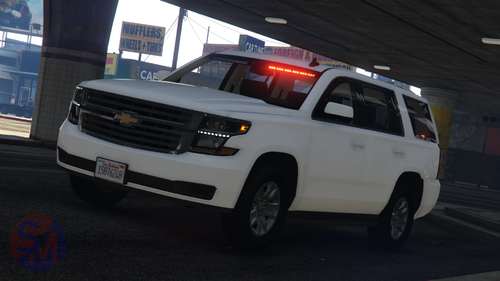 Is there a way to get the plates on? Or is that a model thing?
 -
Hopefully it becomes a 0.5 feature
-
Yes, I am using an MLO for Del Perro
-
Thanks. I'm currently maxxed out on Discord servers for non-Nitro members, so I can't join more unfortunately
-
I tried doing a Google search and I didn't see any blank templates...
-
Would love to use this as a fire chief vehicle. Is there a livery laying around somewhere?
-
@ToastinYou Could you update your creating a plugin post with this new information?
-
 Well, it looks like I can't change the keybinds, so until the documentation is updated with where you get the keybinds from, I can only use this mod for the engine and damage script These are the keybinds I set: [CONTROLS] HazardKey = Back LeftBlinkerKey = Subtrat RightBlinkerKey = Add BlinkerModifierKey = None EngineKey = None EngineModifierKey = None
- 444 comments
- 16 reviews
-
-

- 1
-
-
-
What reference can I use to change the keybinds? I tried the Microsoft Enums and that doesn't seem to work
- 444 comments
- 16 reviews
-
Where exactly is this pinned? Couldn't find it with a quick look.
-
Basically, I want to change this: Into this: Is there anything special I need to do with stations.xml to get this?
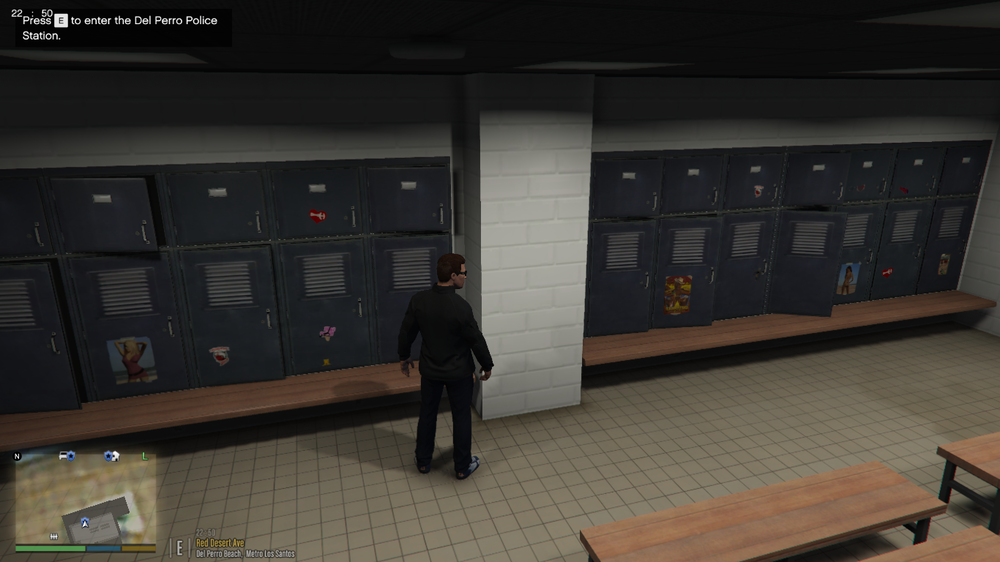
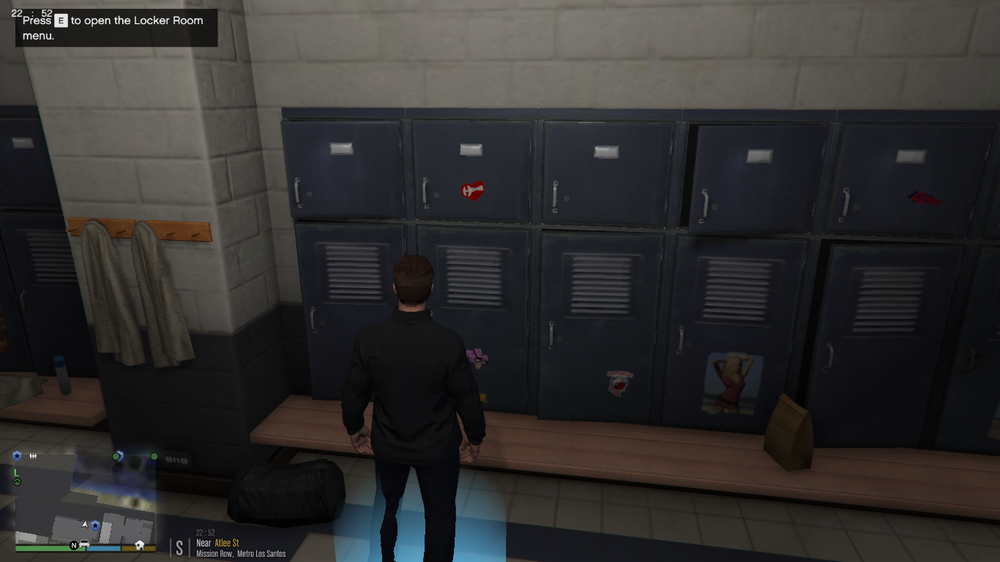
-
Basically, I want to know which file LSPDFR uses to get the outfit below. Unless I am doing it wrong, it is not the outfits.xml file <Ped chance="60" outfit="lspd_cop.m_base" inventory="patrol">mp_m_freemode_01</Ped> This is what I have for my custom outfit inside "agency.xml": <Ped chance="70" outfit="m_sahp.m_base" inventory="patrol">mp_m_freemode_01</Ped> And this is what's in outfit.xml for that:
-
Or, you can go into the policeb's vehicles.meta file and add the don't spawn in cargen flag under flags.
-
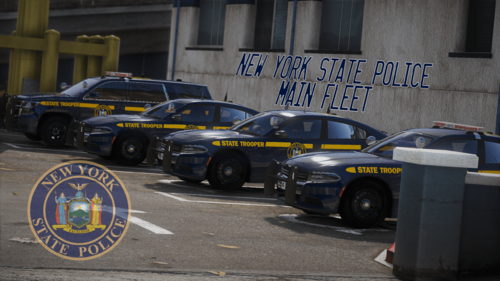 Any plans to add a marked FPIU to the pack? There's a unmarked one, but I don't see a marked version
- 42 comments
- 9 reviews
-
Anyone want to make a simple FPIU that is ELS compatible for me? I have a list of requirements that are needed and some references to get it accurate: Whelen Legacy Lightbar Whelen Core Controller Prograd Pushbar All red in front, red and blue in back Lights on mirrors, rear windows, and below the spoiler Headlights and tailights can flash Rear of lightbar doubles as a traffic advisor I can make the liveries myself, can even provide a template if needed. References are attached below: If more references are needed/wanted, please let me know. Also let me know if you have any other questions. One cool thing I want to do with the ELS setup is when it's in Position 2 have the rear lightbar do a scan back and forth then flash. If this is not possible with ELS, then no big deal